


Banking at your fingertips 24/7.
Home State Bank’s Online Banking system gives the convenience of banking 24 hours a day, 7 days a week. The system allows access to account and product information.
Among the many convenient features are:
- Bill Payment
- Deposit and loan account information
- Transfer funds between accounts
- Detail transaction listing
- Product information
- Payments to loan accounts
- Set up recurring transfers
- Deposits to Higher Learning Fund
- Stop payment requests
- View front/back images of paid checks
- View a range of transactions
- Download Transactions to:
- Quicken (QFX) Microsoft Money (QFX)
- QuickBooks (QBO) Spreadsheet (CSV)


Whether you're a first-time visitor or a frequent Internet user, we're sure you will find our internet banking service an easy and convenient way to have access to your bank accounts 24-hours a day, 7 days a week. Sign up for Online Banking by enrolling now.
For additional information on any of Home State Bank’s Commercial Services, including Cash Management, please call our Commercial Department at (815) 788-3459 or e-mail us at HSBusiness@HomeStBk.com.
Mobile Banking
Bank 24/7 With Our New Mobile App

Banking just got easier and more convenient with the NEW Home State Bank App for your smartphone*. Download our app from the App Store or Google Play and get quick, secure access to your accounts wherever you are. Our new app allows you to turn your debit card "on" or "off" anytime. When they're "off," no one can use your cards. Turn them "on" when you're ready to use them. This helps safeguard your cards from fraud.
Other features include:
- Define areas where your card can be used
- Limit purchases by the type of merchant
- Set limits on the dollar amount
- Instantly change your settings, giving you complete control over your debit card
- Check Balances
- Pay Bills**
- Transfer Funds**
- Locate the nearest HSB ATM or banking center
Enjoy the convenience of banking with the HSB Mobile App - it's another reason why Home State Bank is on your side!



*Please refer to your phone service provider - message and data rates may apply.
**Set up online transfer and bill pay accounts prior to installing the Application. Our Personal Banking Counselors can help.
**Set up online transfer and bill pay accounts prior to installing the Application. Our Personal Banking Counselors can help.
Alerts
Use real-time alerts to keep better track of your money.

Mobile Check Deposit
With the real-time alerts, customers can know when a deposit is made or when their balance drops as it happens. It will even help them spot fraudulent activity!
Deposit Checks Anytime, from Anywhere!
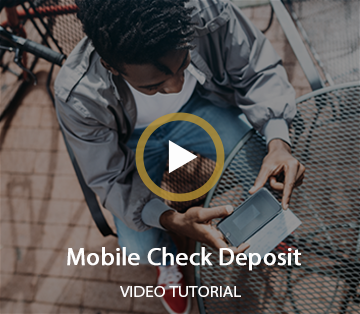
We know how busy life can get, and depositing checks might be the last thing on your to-do list. We offer Mobile Check Deposit with you in mind, taking the hassle out of depositing checks.
We know how busy life can get, and depositing checks might be the last thing on your to-do list. We offer Mobile Check Deposit with you in mind, taking the hassle out of depositing checks.
If you have a smartphone or camera-equipped tablet*, you are just a few steps away from being able to deposit checks when you want, where you want.
- Simply visit your phone's app store* and search for "HSB Mobile Banking."
- Open the app on your device and sign in
- Select "Deposit" at the bottom of the screen
- Select "Deposit a check."
- Select the account you wish to deposit into and key in the deposit amount
- Click on the "Take photos" button
- Endorse your check "For Mobile Deposit Only to Home State Bank" and take pictures of the check with your phone
- Confirm the deposit and then click on the "Make deposit" button
The process is easy and you'll love the time that you just saved!
Mobile Check Deposit is:- Fast - Submit deposits and receive confirmation.
- Convenient – Deposit checks anywhere, anytime.
- Secure – Log-in security and data encryption ensure your information is safe.
- Accurate – When capturing images, our application automatically extracts payment data.
- Easy – Just download the app and get started with our simple-to-follow instructions.
Stop by to see a Personal Banking Counselor today or call (815) 459-2000. Support@homestateonline.com
*Apps are available for iPhone® and Android™ devices. To be eligible for Mobile Check Deposit, you must be a Home State Bank Online Banking Customer. Message and data rates may apply. Restrictions Apply. Daily limit is $5,000 per day; per item limit is $2,500.
